The most important rule is simple: a good report should help someone reproduce the problem. That is why it should include a clear title, reproduction steps, the expected result, the actual result, and the environment. This is recommended, among others, by Atlassian’s guides and Microsoft’s guides: describe the problem clearly, provide the steps to reproduce, expected vs actual, and the environment if it matters.
First, a small language note: the word bug in this meaning refers to an error or problem in a program, not an insect (bug means «an insect») on a keyboard. That matters because in technical English these words are usually simpler than they seem — but precision is what counts.
In practice, a bug report should be like a good flashlight: shining exactly where the problem is hiding. No fog, no philosophy, and no mysterious “it crashes sometimes”. A developer is not a detective; they need specifics. That is why, in English, it helps to learn a few standard sections and ready-made phrases that you can later combine like LEGO bricks.
1. What does a good bug report in English consist of?
Most often, these elements are useful:
- Title – a short, specific title for the problem.
- Environment – the environment where the bug appears.
- Steps to reproduce – the reproduction steps.
- Expected result – what should happen.
- Actual result – what actually happened.
- Impact – the effect on the user or the work.
This structure appears in official Microsoft and Atlassian guidance because these are the details that most help a team understand and reproduce a bug faster.
2. How do you write a good title?
The title should be short, but not cryptic. Instead of:
- Something is broken
it is better to write:
- Login button does not work in Firefox
or:
- Page freezes after clicking Submit
A good title includes what is broken, where, and sometimes under what conditions. That leads to a solution faster than a dramatic “help, it’s broken”. Atlassian points out that a clear description helps the team debug without guessing.
3. Useful vocabulary for a bug report
Here are the most important words and expressions worth knowing. You will see most of them later in the example sentences.
- to reproduce – to reproduce
- steps to reproduce – reproduction steps
- expected result – expected result
- actual result – actual result
- issue – problem, issue
- crash – program crash, app closing unexpectedly
- freeze – to freeze
- does not respond – does not respond
- fails to load – fails to load
- unexpected behavior – unexpected behavior
- severity – severity of the problem
- workaround – workaround
- environment – environment
- browser version – browser version
- operating system – operating system
Technical English likes simplicity. You do not need to write “The phenomenon manifests itself in an undesirable manner” — “The app freezes after login” is enough. Shorter sentences usually work better because they are faster to read and fix. That is exactly what Microsoft’s sources emphasize: describe exactly what you did, what happened, and how often the problem occurs.
4. Ready-made phrases that really help
You can use these like small building blocks for a report:
- I encountered an issue when… – I encountered a problem when…
- When I click on… – When I click on…
- The app crashes after… – The app crashes after…
- It is not possible to… – It is not possible to…
- This happens every time / intermittently. – This happens every time / intermittently.
- I expected the page to… – I expected the page to…
- Instead, it… – Instead, it…
- This prevents users from… – This prevents users from…
To sound professional but natural, skip the decorative language. Simple, clear sentences are enough. Official guides recommend giving a precise description, the error message, and the reproduction steps.
5. An example of a good bug report in English
Here is a model you can follow:
Title: Submit button does not work on mobile Safari
Environment: iPhone 14, iOS 18.1, Safari 18
Steps to reproduce:
- Open the registration form on mobile Safari.
- Fill in all required fields.
- Tap the Submit button.
Expected result: The form should be sent successfully and a confirmation message should appear.
Actual result: Nothing happens. The button looks active, but the form is not submitted.
Impact: Users cannot finish registration on mobile devices.
This is the point where a report stops being “something is not working” and becomes a document you can actually work with. Microsoft and Atlassian stress that this structure saves time and reduces follow-up questions.
6. What should you avoid in bug reports?
The most common mistakes are very human:
- too few details,
- missing environment,
- missing reproduction steps,
- emotional language instead of facts,
- phrases like “it’s broken somewhere”,
- no information about whether the problem happens every time or only sometimes.
Microsoft’s and Atlassian’s guidance keeps returning to this: without concrete steps and context, the team has to guess, and guessing is expensive. Give fewer flourishes and more data.
7. When should you add more details?
If the bug appears only in a specific environment, mention that right away. For example:
- Only happens on Chrome version 141 on Windows 11
- Occurs when the user account has no profile picture
- Happens after the third login attempt
These details are what separate a useful report from one that sounds like a cloud of mystery. Microsoft also suggests giving frequency, error messages, and supporting data if they are available.
8. Mini-template to copy
You can use this simple structure:
Title: [short description]
Environment: [device / browser / OS / app version]
Steps to reproduce:
1. ...
2. ...
3. ...
Expected result: ...
Actual result: ...
Impact: ...
It does not have to be long. It has to be readable. That is exactly how good templates in bug tracking tools work: they help keep the information in a fixed order and make the team’s work easier.
9. Exercise: write a bug report in English
Try to turn the notes below into a short report in English:
- on a phone, the login screen freezes,
- after entering the password and clicking the button, nothing happens,
- the problem occurs in the Android app,
- users cannot access their accounts.
Hint: structure your answer according to title / steps / expected / actual / impact. Keep it short, clear, and technical.
Answer to the exercise
Title: Login screen freezes after entering password on Android
Steps to reproduce:
- Open the app on Android.
- Go to the login screen.
- Enter the password and tap the login button.
Expected result: The app should log the user in.
Actual result: Nothing happens and the screen freezes.
Impact: Users cannot access their accounts.
If your version is similar, great. If it sounds like a word-for-word translation from Polish, that is not a disaster — the aim is to get used to the natural English structure step by step. Regular practice matters more than one perfect attempt.
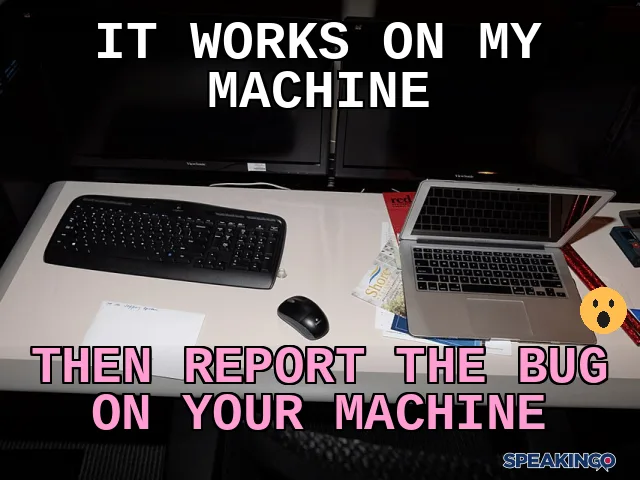
10. A small meme about bug reports
Setup: It works on my machine
Punchline: Then report the bug on your machine
The joke works because the classic It works on my machine is a symbol in IT for “it works for me, so the problem does not exist.” The punchline flips that idea: if the product only works on one computer, then that computer is the one you would have to ship to customers. The real point is that “works on my machine” hides an environment difference, and that difference is exactly where the cause needs to be found. It is a classic developer joke. In the graphic, a surprised face works well, contrasting the developer’s confidence with the chaos of debugging.
Summary
A good bug report in English does not have to be long. It has to be clear. The most important things are: a specific title, reproduction steps, the expected result, the actual result, and the environment. If you also add the impact of the problem, your report will be genuinely useful. And if you use simple, natural phrases, your report will not only be read, but it will also help fix the problem faster.
11. How should you practice this kind of English?
The best approach is not to learn individual words, but ready-made sentences and structures. In bug reports, short forms are especially useful, because they are the ones that appear most often at work: describe, point to the step, name the result, and state the impact. Learning in full sentences helps you move from theory to practice faster, without searching for the right verb in the middle of an urgent bug.
If you want to practice speaking and understanding similar sentences out loud, SPEAKINGO helps you train English in practice: you listen to questions, answer in full sentences, practice recalling vocabulary, and speak at your own pace. It is a good way to make technical phrases stay not only on the screen, but actually get into your head and onto your tongue. Register in the form below and try it with your own voice.